

Motorists waiting for a smart driving licence, physical logbook or reflective number plates can check whether they are ready for collection through NTSA’s online service-status portal.
The National Transport and Safety Authority’s latest reminder, issued on October 12, directs applicants to check online before travelling to a collection centre. The status check is free and does not require account registration.
Here is how to check, which details to use and what to do if your document does not appear.
Where to check your NTSA document status
Visit the official NTSA service-status portal.
You can also start from the NTSA website and follow the link for uncollected smart driving licences, number plates and logbooks.
Have the relevant identification details ready:
| Item you are checking | Details to use |
|---|---|
| Smart driving licence | Your national ID number |
| Physical logbook | Vehicle or motorcycle registration number |
| Reflective number plates | Vehicle or motorcycle registration number |
The portal also identifies the collection centre for documents listed as ready.
How to check whether your smart driving licence is ready
Open the NTSA service-status portal.
Select the option for driving licences.
Enter your national ID number.
Submit the search.
Check the result and note the collection centre, if one is displayed.
Use the ID number associated with your application. Before travelling, save the result or take a screenshot so you can refer to the collection details.
How to check your logbook or number plates
Open the same portal and select either logbooks or number plates, depending on the item you are waiting for.
Enter your vehicle or motorcycle registration number and submit the search. Read the result carefully, including the indicated collection location.
For these two searches, use the vehicle registration number rather than your personal ID number.
What should you do before collection?
Follow the collection location shown in your result. Do not assume the document is at the nearest NTSA office or Huduma Centre.
Keep your application reference and payment confirmation available, and confirm the identification or supporting documents required for your particular collection. If someone else will collect on your behalf, first ask the centre about its authorisation requirements.
A readiness check can help you avoid an unnecessary journey, but you should still follow any collection instructions attached to your application.
What if your document does not appear?
Start by checking that you selected the correct document type and entered the correct ID or registration number.
If the search returns no record, that alone does not explain whether your application is still being processed, whether there is a records issue or whether the document has already been collected.
The portal provides a complaints option for problems involving smart driving licences, logbooks and number plates. Applicants can provide an email address for feedback once their complaint is resolved.
When following up, have your application date, reference number and payment confirmation ready. If the website is temporarily unavailable, try again later or contact NTSA through the channels listed on its official website.
How do digital logbooks affect collection?
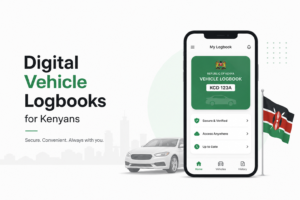
NTSA announced the rollout of electronic logbooks from June 10, 2026 for specified vehicle-registration services, with digital documents accessible through its eCitizen services.
That means applicants should distinguish between an older printed logbook awaiting collection and an e-logbook available through their account.
If your transaction produced an electronic logbook, check your NTSA services on eCitizen rather than relying only on the uncollected physical-document search.
NTSA has also warned that uncollected physical logbooks covered by its collection notice will be disposed of after the stated six-month period. Anyone still waiting to collect a printed logbook should confirm its status and the applicable deadline promptly.
Do you need to pay someone to check?
No. NTSA says checking readiness through the portal is free and has warned motorists against brokers charging for the status check.
This free check is separate from any official application or replacement fees. Use the official portal directly, check the collection location and follow up with NTSA if the result does not resolve your query.


