
Kenya Power customers can check their latest electricity bill without visiting a Kenya Power office. The easiest options are the *977# USSD service, Kenya Power’s online self-service portal and the myPower app.
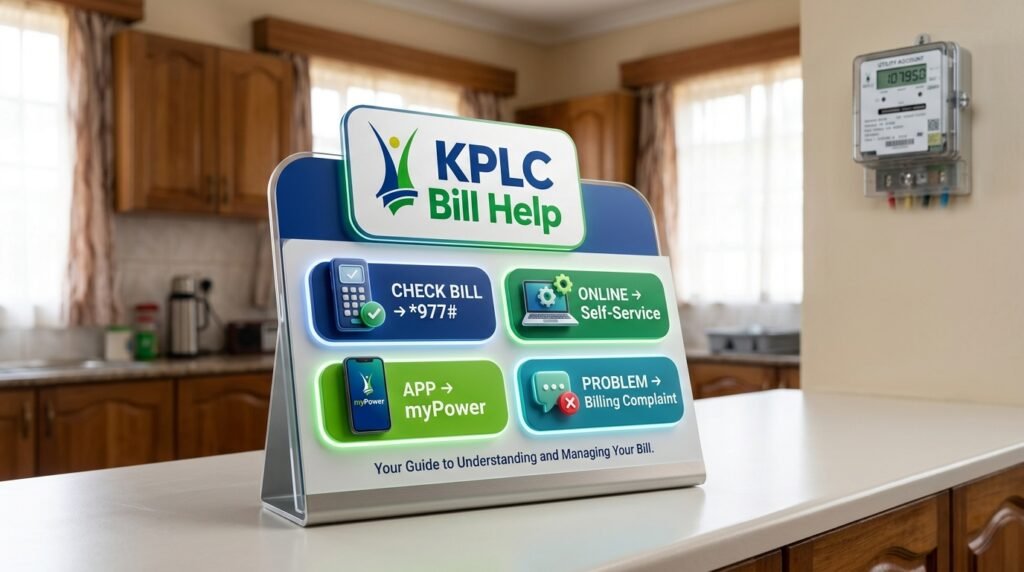
For postpaid customers, these services can be used to check the latest bill and access other account services. Kenya Power also provides options for customers who have received a high, estimated, zero or missing bill.
Here is how to check your KPLC bill using each method.
How to Check Your KPLC Bill Using *977#
The *977# USSD service is one of the quickest ways to check a Kenya Power postpaid bill from your phone.
According to Kenya Power, the service currently operates on the Safaricom mobile network and requires airtime to use.
Steps to check your KPLC bill using *977#
- Dial *977# on your phone.
- Select Option 2 – Postpaid Services (Bill).
- Select My Bill.
- Choose the option to add or enter your account number.
- Enter or select your KPLC account number.
- Confirm the transaction details.
- Kenya Power will send your postpaid bill details by SMS.
Kenya Power says network charges apply when using the service.
What do you need to check your bill using *977#?
You need:
- A mobile phone
- A Safaricom line
- Airtime
- Your Kenya Power postpaid account number
You do not need an internet connection to use the USSD service.
How to Check Your KPLC Bill Online
You can also check your electricity bill through the official Kenya Power self-service portal.
The portal allows customers to search bills and tokens using an account number or meter number.
How to check your bill online
- Open the Kenya Power self-service portal.
- Register or log in to your account.
- Enter your account details where required.
- Open the bill section.
- Select the relevant account.
- View your latest bill and account information.
Kenya Power says customers who are registering for its online services may be required to provide their account number, identification document and other registration details. Tenants can also register for access to the services.
Kenya Power Self-Service Portal
How to Check Your KPLC Bill Using the myPower App
Another option is the myPower app, Kenya Power’s mobile application.
The app is available for Android and iOS devices and provides access to several Kenya Power services, including My Bill/My Token.
Steps to check your bill on myPower
- Download and install the myPower app.
- Create an account or log in.
- Add or select your Kenya Power account.
- Select My Bill/My Token.
- Select the relevant postpaid account.
- View your latest bill and account details.
Kenya Power says registration can require your meter or account number, identification document number, email address or phone number.
The app also provides other services, including bill simulation, planned interruptions and reporting power outages.
What Is the KPLC *977# Code Used For?
The *977# service is not only for checking electricity bills.
Kenya Power currently provides several services through the USSD menu, including:
- Checking postpaid bills
- Buying prepaid tokens
- Checking recent tokens
- Managing meters
- Paying postpaid bills
- Activating bill alerts
- Submitting meter readings
- Reporting power outages
- Reporting billing complaints
- Applying for new connections
- Verifying Kenya Power staff through Jua for Sure
The exact options displayed can depend on the service selected.
How to Check Your KPLC Account Balance
If you have a postpaid Kenya Power account, you can check your outstanding bill through *977#.
Dial:
*977# → Postpaid Services → My Bill
Enter or select your account number and confirm the request. Kenya Power says the bill details will then be sent to you by SMS.
You can also check your bill through the online self-service portal or myPower app.
How to Receive KPLC Bill Alerts
Kenya Power allows postpaid customers to activate bill alerts through *977#.
To activate the service:
- Dial *977#.
- Select Postpaid Services.
- Select Bill Alerts.
- Choose your preferred alert type.
- Follow the prompts to activate the alerts.
Kenya Power says customers receive confirmation after successfully activating the service.
Bill alerts can help you keep track of your electricity charges without having to manually check your account every month.
How to Submit Your KPLC Meter Reading
If you have a postpaid meter, Kenya Power also allows customers to submit their meter readings through *977#.
This can be useful when your meter is due for reading and you want to provide the current reading for billing purposes.
Steps to submit a meter reading
- Dial *977#.
- Select your postpaid account.
- Choose Self-Reading.
- Enter your account number if required.
- Select the active energy meter.
- Enter your current meter reading.
- Submit the reading.
Kenya Power advises customers to confirm that the reading period in their area is due before submitting a self-reading.
What to Do If Your KPLC Bill Is Too High
If your latest electricity bill is much higher than expected, do not simply assume that the bill is correct.
Kenya Power provides a Billing Complaints option through *977# for customers with billing concerns.
The available categories include:
- High bill
- Estimated bill
- Zero bill
- No bill
To report a billing problem, dial *977#, select Billing Complaints and choose the option that matches your problem.
Before making a complaint, it is also useful to compare your current bill with previous months and check whether your electricity consumption has increased.
Why Is My KPLC Bill Higher Than Usual?
A higher electricity bill can have several possible explanations, including increased electricity consumption or an unusually high meter reading.
If your consumption appears inconsistent with your normal usage, Kenya Power provides billing-complaint channels for high and estimated bills.
You can also submit a meter reading through *977# when the reading period for your area is due.
For households trying to understand their electricity costs, checking the bill regularly is useful because it allows you to identify changes in consumption before they become a larger problem.
How to Get a Copy of Your KPLC Bill
Kenya Power customers can access their bills through the online self-service system.
After logging into your account, select the bill details option to access your bill. Kenya Power’s self-service information also provides an account/meter query option for customers who want to check their bills online.
Access Kenya Power Self-Service
KPLC Bill vs KPLC Token: What Is the Difference?
It is important to distinguish between a KPLC bill and a KPLC token.
A bill normally relates to a postpaid electricity account, where electricity is consumed and the customer receives a bill for payment.
A token relates to a prepaid electricity meter, where the customer purchases electricity units before using them.
Kenya Power’s *977# menu separates these services into Prepaid Services (Token) and Postpaid Services (Bill).
If you are looking for information about a delayed prepaid token, see our guide on what to do when your KPLC token does not arrive.
KPLC Bill Check: Frequently Asked Questions
What is the KPLC code for checking a bill?
The Kenya Power USSD code for checking a postpaid bill is *977#. Select Postpaid Services, followed by My Bill, and enter your account number.
Can I check my KPLC bill without internet?
Yes. You can use the *977# USSD service to check your postpaid bill. Kenya Power says the service requires airtime and is currently limited to the Safaricom mobile network.
Do I need my KPLC account number?
You will generally need your Kenya Power account number to access your postpaid bill through the available self-service channels.
Can I check my KPLC bill online?
Yes. Kenya Power provides an online self-service portal where customers can check bills and use other electricity-related services.
Can I check my KPLC bill using the myPower app?
Yes. Kenya Power says the myPower app provides a My Bill/My Token service through which customers can access their electricity account information.
What should I do if my KPLC bill is unusually high?
Use the Billing Complaints option on *977# and select the appropriate category, including high bill or estimated bill.
How can I contact Kenya Power?
Kenya Power’s national contact centre is 97771. The company also lists 0703 070 707 and 0732 170 170 among its customer-contact numbers.
Bottom Line
For most postpaid customers, the quickest way to check a KPLC bill is to dial *977#, select Postpaid Services, choose My Bill and enter your account number.
You can also use the Kenya Power self-service portal or myPower app if you prefer to check your bill online.
If the amount looks unusually high, Kenya Power provides a billing-complaint option for high, estimated, zero and missing bills.
For the latest information on Kenya Power services, customers should rely on the company’s official customer-service channels because USSD menus and digital services can change.


